Updated August 19, 2026
How to Check Your 7 Brew Rewards Online (2026)
You don’t need the app to check your 7 Brew points. Log in at rewards.7brew.com with your phone number to see your balance and available rewards in seconds — free, official, and works from any browser.
Quick Answer
Go to rewards.7brew.com/sign-in, enter the phone number on your 7 Brew Rewards account, then enter the one-time text code to log in. Your points balance and available reward offers load immediately — no app download required. This works whether or not you’ve ever used the 7 Brew app, and it’s the same free account either way.
3 Ways to Check Your 7 Brew Rewards
All three methods pull from the exact same account and balance — use whichever is fastest for you in the moment. Having trouble signing in? See the full 7 Brew Login guide. Want the complete breakdown of what your account dashboard shows? See the 7 Brew Rewards Portal guide.
Web Portal
Log in at rewards.7brew.com/sign-in from any phone or computer browser. No download needed.
The 7 Brew App
Open the official app and tap the Rewards tab for your balance plus order-ahead and the secret menu.
Ask a Brewista
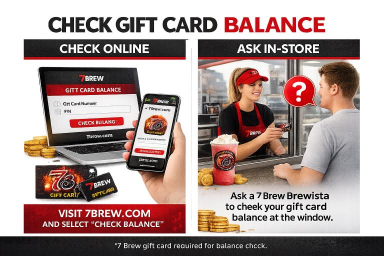
Give your phone number at the drive-thru window and staff can read out your current balance directly.
What You’ll See When You Log In
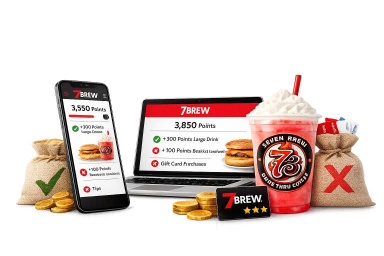
Once you’re signed in at rewards.7brew.com, your account dashboard shows your current points total, any free drinks already saved to your account, and — since the August 2026 program update — a list of reward options you can redeem once you have enough points. That list can include a free drink of any size at 1,000 points, or saving further toward exclusive merchandise such as keychains, t-shirts, and sweatshirts, with availability varying by item and local stand inventory.
One detail worth knowing before you check: viewing your balance online tells you exactly what you have, but actually redeeming a reward still happens at the stand — the web portal is a balance-and-offers view, not a checkout. Tell your Brewista which reward you’d like to use when you order.
Do You Need the App to Check Your Rewards?
No. Per 7 Brew’s own official FAQ, you do not need to download the app to continue using your 7 Brew Rewards account — you can still earn and redeem rewards exactly as before, and checking your balance through the web portal at rewards.7brew.com works identically with or without the app installed. The app adds extra features on top (mobile ordering, the secret menu, favorites) but it isn’t required just to see your points.
Will I Lose My Points From Before the App Launched?
No — this is one of the most common worries since the August 2026 relaunch, and 7 Brew has addressed it directly: all points already in your account transferred automatically, and any free drinks you’d already earned carried over too, remaining available as free drinks rather than being converted back into points. If your balance looks different than you remember, it’s almost always a display issue rather than lost points — see the troubleshooting section below.
Common Problems Checking Your Balance
Balance Looks Wrong or Didn’t Update
Give it a few minutes after a purchase — points can take a short time to reflect. If it’s been longer and the number still looks off, see the full Rewards troubleshooting guide for account-specific fixes.
Can’t Log In / Number Not Recognized
Double-check you’re entering the exact phone number your Rewards account was created with. If you’ve since changed numbers, update your profile at rewards.7brew.com so future points aren’t split across two accounts.
Points or Rewards Genuinely Look Incorrect
If something still looks wrong after checking the above, 7 Brew’s official support team can investigate directly — submit a request through 7brew.com/support and select “App” from the Subject dropdown, even if your issue is about the web portal rather than the app itself.

Written & Reviewed by Robert Miles
Restaurant Menu Researcher & SEO Content Specialist
Robert cross-checks 7 Brew’s account and rewards systems against official support pages and real customer reports, and updates this guide as the program changes.
Frequently Asked Questions
How do I check my 7 Brew rewards online for free?
Go to rewards.7brew.com/sign-in, enter your account’s phone number, then enter the one-time text code. It’s free and works on any browser, no app required.
Do I need the app to check my points?
No. 7 Brew’s official FAQ confirms you don’t need to download the app to keep using your Rewards account — the web portal works the same either way.
Can I redeem a reward from the website, or only in person?
You can view your balance and available rewards online, but redemption itself happens at the stand — tell your Brewista which reward to apply when you order.
Will I lose my points from before the app launched?
No. All existing points transferred automatically, and any free drinks already saved to your account remained available as free drinks.
How do I check my rewards without downloading anything?
Use the web portal at rewards.7brew.com/sign-in from your phone’s browser — no app install needed, same account and balance either way.
Do 7 Brew points and rewards expire?
Yes — points and saved free drinks expire after 365 consecutive days without a purchase on your Rewards account. A single qualifying purchase resets that clock.
What if my points balance looks wrong?
Wait a few minutes after a purchase for it to update. If it still looks incorrect, submit a request at 7brew.com/support (select “App” from the Subject dropdown) and the team will investigate.
Sources and Evidence Notes
- Official: 7 Brew — What’s New / Official App FAQ (points transfer, no-app-required confirmation, expiry terms)
- Official: 7 Brew Rewards and Rewards sign-in portal
- Community-reported: Common login/balance-display friction reflects patterns discussed by 7 Brew customers on Reddit and Facebook; treated as practical context, not official policy.
Related 7 Brew Guides
Last verified: August 19, 2026. This is an independent guide and is not affiliated with 7 Brew Coffee. Account features and reward options may change; 7brew.com and the official Rewards portal always control.
 By Robert Miles