Rewards troubleshooting · Updated August 2026
7 Brew Rewards Not Working? Fix Missing Points & Errors
Diagnose missing points, login problems, incorrect balances and unavailable rewards with current support steps.
Quick Answer
Most “7 Brew Rewards not working” problems come down to one of four things: you haven’t replied to the initial confirmation text, your points balance is showing a temporary display error during 7 Brew’s platform transition, your phone number wasn’t given at checkout, or your points expired after 12 months of inactivity. Your actual rewards are almost never lost — it’s usually a syncing or account-setup issue that clears up within days.
Try These First
Reply to the Text
Confirm your enrollment by replying “Y” to the SMS you got when you signed up.
Allow 24 Hours or More
Recently joined or switched accounts can take up to two days to sync points.
Confirm Your Number
Make sure the Brewista is checking the exact phone number tied to your account.
Contact Support
Still off after 24 hours or more? Contact official support with your receipt details.
What’s Actually Going Wrong: A Quick Diagnostic
| What You’re Seeing | Likely Cause | What to Do |
|---|---|---|
| Points or rewards missing after signing up | Haven’t confirmed the SMS opt-in text | Reply “Y” or “YES” to the confirmation message |
| Balance looks wrong or incomplete | Display error during platform transition | Wait — your points are safe, just not displaying correctly yet |
| A recent drink didn’t earn points | Phone number wasn’t given at checkout | Contact official support with your Rewards phone number, visit date/time, stand location and receipt details |
| Balance reset to 0 after a reward appeared | Normal behavior, not a bug | Nothing — your free drink is stored separately from your points counter |
| Account/phone number not recognized | Account may be dormant or mistyped | Check rewards.7brew.com directly, then contact support if unresolved |
| No visits in over a year | Points expired from inactivity | Unfortunately not recoverable — start fresh with your next visit |
Common Issues, Explained
Balance Looks Wrong or Rewards Are Missing
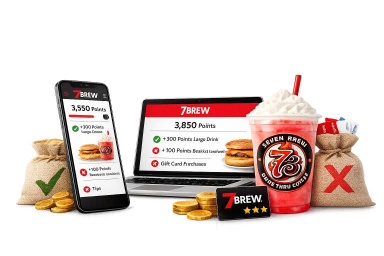
7 Brew has acknowledged that some accounts show incorrect points or missing rewards while the company transitions to its current Rewards platform. This is a known display issue, not lost rewards — your actual points and rewards remain safe on 7 Brew’s end. If it’s been 24 hours or more since you joined the current Rewards platform and the issue hasn’t cleared, contact 7 Brew’s Care Team through their official support form.
Rewards Aren’t Usable Until You Confirm by Text
When you sign up, 7 Brew sends a confirmation text. If you never replied, your account may show points that aren’t yet active for redemption. Replying “Y” or “YES” to that original message typically resolves this.
A Purchase Didn’t Earn Points
Points only apply to purchases where your phone number was given at the time of ordering — most locations can’t add points to a purchase after you’ve already driven off. If this keeps happening, double-check the Brewista is entering the exact number tied to your account, not a typo of it.
Your Points Reset to 0 After Hitting 1,000
This one isn’t a bug. Once you reach 1,000 points, the counter resets to track your next reward, while your free drink is stored separately and stays on your account until you redeem it. If you see “0 points” alongside an available reward, that’s exactly how it’s supposed to look.
Points Have Expired
Unused points expire after 12 months without a qualifying purchase. If your last visit was over a year ago, your balance may have reset — one new qualifying purchase starts you earning again, but the expired balance itself isn’t recoverable.
Birthday Reward Didn’t Appear
This is common enough to deserve its own breakdown — see our 7 Brew Birthday Reward guide for the exact steps to fix it, including how to confirm your birthdate is on file.
When to Contact 7 Brew Support Directly
- It’s been 24 hours or more since you joined the current Rewards platform and your balance still looks wrong.
- Your phone number isn’t recognized at rewards.7brew.com even though you’re sure it’s correct.
- Your birthdate is missing or wrong and a birthday reward never appeared.
- You believe points from an old rewards system never transferred to your current account.
In each case, 7 Brew’s Care Team can look up and correct your account directly — something no independent guide, including this one, can do on your behalf.
Why Can’t I Redeem My Reward Through the Portal?
This is one of the most repeated points of confusion in 7 Brew’s own customer communities. Checking your balance online at rewards.7brew.com tells you exactly what you have available, but actually redeeming a reward still happens at the stand — the web portal is a balance-and-offers view, not a checkout. If you’re trying to apply a free drink or merchandise reward from home and nothing happens, that’s expected behavior, not a bug. Confirm what’s available on the portal, then tell your Brewista which reward you’d like to use when you order. See the full 7 Brew Rewards Portal guide for the complete breakdown of what the portal can and can’t do.
Did 7 Brew Change Their Rewards System?
Yes — 7 Brew’s rewards program changed meaningfully when the official app launched on August 12, 2026, and this is exactly where a wave of “wait, what happened to my points?” panic came from in the days after. The core mechanic didn’t change: you still earn 100 points per qualifying drink, and 1,000 points still unlocks a free drink. What’s new is that reaching 1,000 points no longer automatically applies a free drink the moment you cross the threshold — you now choose your reward, including the option to keep banking points toward exclusive merchandise instead. Per 7 Brew’s own official FAQ, all points already in accounts before the relaunch transferred automatically, and any free drinks already saved remained available as free drinks. For the complete old-system-vs-new-system comparison, see the 7 Brew Points guide.
One specific change trips up more people than any other: as of August 12, 2026, 7 Brew Energy cans and kids-sized drinks no longer earn Rewards points, per 7 Brew’s own support documentation. If the drink that did not register was an Energy can or a kids’ size, that is expected under the current program rather than a glitch. Every qualifying coffee, tea, lemonade, smoothie, or shake ordered in a small, medium, or large size still earns the standard 100 points per drink.

Written & Reviewed by Robert Miles
Restaurant Menu Researcher & SEO Content Specialist
Robert cross-checks 7 Brew’s rewards program issues against official support notes and real customer reports, and updates this guide as the program changes.
Frequently Asked Questions
Why are my 7 Brew Rewards points not showing up?
Usually it’s a display error during 7 Brew’s platform transition, or your account hasn’t been confirmed by replying to the initial text message. Your points are typically still safe on 7 Brew’s end.
Why did my points reset to zero?
This is normal after you hit 1,000 points — the counter resets to track your next reward, while your free drink is stored separately and stays available until redeemed.
Can I get points added for a past purchase?
Generally no. Points require your phone number at the time of the order and most locations can’t add them retroactively.
How long do I need to wait before contacting support?
Allow at least 24 hours for new points to post. If they remain missing, contact official support with your Rewards phone number, visit date/time and stand location.
Do 7 Brew points expire?
Yes — unused points expire after 12 months without a qualifying purchase. A qualifying purchase resets that inactivity clock.
My old rewards points didn’t transfer — what happened?
Points from 7 Brew’s previous rewards system only transferred for customers who enrolled in the current Rewards program by the migration cutoff. If you missed that window, those older points aren’t recoverable, but you can start earning fresh right away.
Related 7 Brew Guides
This is an independent guide and is not affiliated with 7 Brew Coffee. Account issues, error messages, and support processes can vary by location and change over time — this guide cannot access or modify your account. For account-specific problems, always contact 7 Brew’s official support channels directly.
 By Robert Miles